
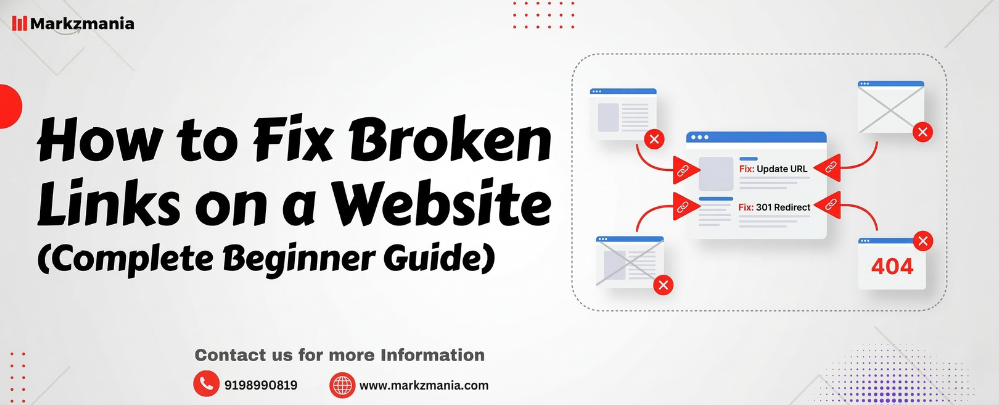
Broken links can quietly damage your website’s SEO, user experience, and credibility. When a visitor clicks a link and lands on a 404 error page, frustration increases and trust decreases. Search engines also treat broken links as a sign of poor website maintenance.
In this guide, you will learn what broken links are, how to find them, and how to fix broken links on a website, including methods for a WordPress website.
What Are Broken Links on a Website?
A broken link is a hyperlink that no longer works. When users click the link, the destination page does not open because the page has been removed, moved, or the URL was typed incorrectly.
Instead of showing the correct page, the browser displays an error such as:
- 404 Page Not Found
- Server Not Found
- Access Denied
Broken Links Website Example
For example:
-
Your blog links to
example.com/seo-tips
But the page gets deleted or the URL changes to:
example.com/advanced-seo-tips
Now the original link becomes broken, and visitors see a 404 error.
Why Fixing Broken Links Is Important
Fixing broken links improves both SEO performance and user experience.
1. Better Search Engine Rankings
Search engines like Google prefer well-maintained websites. Broken links signal poor site quality.
2. Improved User Experience
Visitors stay longer when every link works correctly.
3. Higher Website Authority
Functional links increase trust and professionalism.
4. Faster Website Crawling
Search engine bots crawl working links more efficiently.
Common Causes of Broken Links
Broken links usually occur due to these reasons:
- Page deletion
- URL changes
- Website migration
- Typographical errors in URLs
- Expired external pages
- Incorrect internal linking
How to Find Broken Links on a Website
Before fixing broken links, you must identify them.
1. Use Google Search Console
Google Search Console shows pages returning 404 errors.
Steps:
- Open Google Search Console
- Go to Pages / Indexing Report
- Look for Not Found (404) errors
2. Use SEO Tools
Popular tools that detect broken links:
- Ahrefs
- Screaming Frog
- SEMrush
- Broken Link Checker tools
These tools scan your website and list all broken internal and external links.
3. Manual Checking
You can also check links manually while reviewing blog posts and pages.
How to Fix Broken Links on a Website
After finding broken links, use the following methods to fix them.
1. Update the Incorrect URL
If the page still exists but the URL changed:
Action:
Edit the link and replace it with the correct URL.
Example:
Broken linkexample.com/seo-guide
Correct linkexample.com/complete-seo-guid
2. Redirect the Old URL
If you moved the page to a new URL, create a 301 redirect.
A 301 redirect automatically sends users from the old page to the new page.
Benefits:
- Preserves SEO value
- Improves user experience
- Prevents 404 errors
3. Remove the Broken Link
If the linked page no longer exists and no replacement exists, remove the link from your content.
4. Replace with a Relevant Resource
Instead of deleting the link, replace it with another useful resource that provides similar information.
This method keeps your content valuable and informative.
How to Fix Broken Links on a WordPress Website
If your website runs on WordPress, you can fix broken links easily.
Method 1: Fix Broken Links Using a Plugin
Install a Broken Link Checker plugin.
Steps:
- Go to WordPress Dashboard
- Click Plugins → Add New
- Search Broken Link Checker
- Install and activate the plugin
- The plugin will scan your site automatically
- Edit or remove broken links directly
Advantages:
- Automatic scanning
- Easy fixing
- Saves time
Method 2: Fix Broken Links in WordPress Without Plugin
Many website owners prefer this method because plugins can slow down a site.
Steps:
- Use an SEO tool like Ahrefs or Screaming Frog
- Export the broken links list
- Open the affected page inside WordPress
- Update or remove the link manually
- Save changes
This method improves performance because it avoids extra plugins.
Best Practices to Prevent Broken Links
Follow these practices to keep your website healthy.
Regular Website Audits
Check your website every 1–2 months.
Avoid Changing URLs Frequently
Frequent URL changes increase broken link risk.
Use Redirects When Updating Pages
Always add 301 redirects when moving content.
Monitor External Links
External sites can disappear anytime.
Quick Checklist to Fix Broken Links
✔ Scan your website for broken links
✔ Identify internal and external links
✔ Update incorrect URLs
✔ Add 301 redirects if needed
✔ Remove links that have no replacement
✔ Recheck the page after fixing
Blog Summary
Broken links can harm your website’s SEO, user experience, and credibility. Regular monitoring and quick fixes help maintain a healthy website structure. You can find broken links using SEO tools or Google Search Console and fix them by updating URLs, removing links, or adding redirects.
If you run a WordPress website, you can fix broken links using plugins or manual methods. Regular audits and proper link management ensure that visitors and search engines always reach the right pages.
Frequently Asked Questions
1. What are broken links on a website?
Broken links are hyperlinks that no longer work and lead to error pages such as 404.
2. How do I fix broken links on a website?
You can fix broken links by updating URLs, removing the link, or creating a 301 redirect to the correct page.
3. How do I fix broken links in WordPress?
You can fix broken links in WordPress using a broken link checker plugin or by manually editing the page links.
4. Can broken links affect SEO?
Yes. Broken links negatively affect SEO because search engines see them as poor site maintenance.
5. How often should I check for broken links?
You should scan your website for broken links at least once every 1–2 months.