
If you see “Crawled – Currently Not Indexed” in Google Search Console, it means Google has visited your page but decided not to add it to the search index yet.
Many website owners panic when they see this message. However, this issue is very common and usually fixable once you understand the real cause.
What Does “Crawled – Currently Not Indexed” Mean?
“Crawled – Currently Not Indexed” means:
-
Googlebot visited your page.
-
Google analyzed the page content.
-
Google decided not to include the page in its search index yet.
Your page is not blocked, but Google thinks the page does not provide enough value for indexing right now.
This status appears in Google Search Console → Page Indexing Report.
Many SEO professionals see this status when Google believes:
- The content is thin
- The page is duplicate
- The page has low authority
- Google found better pages on the same topic
Crawling vs Indexing (Important Difference)
Many people confuse crawling and indexing, but they are completely different processes.
Crawling
Googlebot visits and reads the page content.
Indexing
Google stores the page in its database so it can appear in search results.
So if a page is crawled but not indexed, Google saw the page but decided not to include it in search results.
Discovered – Currently Not Indexed vs Crawled – Currently Not Indexed
These two GSC statuses confuse many website owners.
Discovered – Currently Not Indexed
This means:
- Google knows the page exists.
- Google has not crawled it yet.
Common reasons:
- Low crawl budget
- Weak internal linking
- New website
- Large number of pages
Crawled – Currently Not Indexed
This means:
-
Google already crawled the page
-
Google did not find enough value to index it
This usually happens because of content quality issues or duplication.
Why Google Crawls a Page but Does Not Index It
Understanding the cause helps you fix the problem quickly.
Here are the most common reasons.
1. Thin or Low-Quality Content
Google prefers helpful and comprehensive content.
If your page contains:
- very little information
- copied content
- generic AI text
- poor formatting
Google may crawl the page but choose not to index it.
Fix
Improve the page with:
- detailed explanations
- examples
- FAQs
- images
- structured headings
Always write user-first content, not search-engine-first content.
2. Duplicate Content
If Google finds similar content on multiple pages, it may ignore one of them.
Common duplication problems include:
- category pages with the same text
- similar blog posts
- parameter URLs
- copied articles
Fix
Use:
- Canonical tags
- Unique page content
- Proper internal linking
Make sure every page targets a unique search intent.
3. Weak Internal Linking
If your page receives very few internal links, Google may treat it as unimportant.
Google discovers and evaluates pages based on internal links.
Fix
Add links from:
- high-authority blog posts
- homepage
- category pages
- related articles
This helps Google understand the importance of the page.
4. Low Website Authority
New websites often face indexing delays.
Google first evaluates the trust and authority of the domain before indexing many pages.
Fix
Increase website authority by:
- building quality backlinks
- publishing helpful blog posts
- getting mentions on trusted websites
5. Technical SEO Issues
Sometimes technical issues prevent indexing.
Common problems include:
- incorrect canonical tags
- noindex tag
- robots.txt restrictions
- server errors
- slow page loading
Fix
Check your page using:
- URL Inspection Tool in GSC
- PageSpeed Insights
- Screaming Frog SEO crawler
Ensure the page is indexable and accessible.
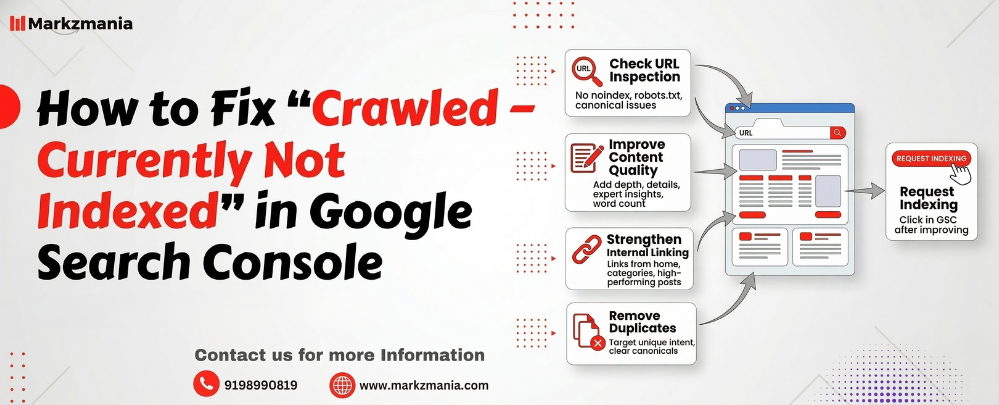
How to Fix “Crawled – Currently Not Indexed” (Step-by-Step)
Follow this practical process to resolve the issue.
Step 1: Check URL Inspection in Google Search Console
Open Google Search Console → URL Inspection Tool.
Enter the page URL and verify:
- The page is indexable
- No noindex tag
- No robots.txt block
If everything looks fine, move to the next step.
Step 2: Improve Content Quality
Google prioritizes helpful content.
Enhance your page by adding:
- deeper explanations
- expert insights
- statistics
- FAQs
- examples
- visuals
A strong blog post usually contains 1200–2000 words of useful information.
Step 3: Strengthen Internal Linking
Link the page from:
- top performing blog posts
- navigation menus
- related content sections
Internal links help Google understand topic relevance and page importance.
Step 4: Remove Duplicate Content
Check if similar pages already exist.
If they do:
- merge them
- rewrite the content
- use canonical tags
Always ensure each page targets a specific keyword and search intent.
Step 5: Request Indexing
After improving the page:
-
Open URL Inspection Tool
-
Click Request Indexing
Google will re-crawl the page and evaluate it again.
How Long Does Indexing Take?
Indexing time depends on multiple factors.
Typical timelines:
| Website Type | Indexing Time |
|---|---|
| New website | 3–14 days |
| Medium authority site | 1–5 days |
| High authority website | Few hours |
If the page still does not index after improvement, Google likely believes the page does not add unique value.
Best Practices to Avoid Indexing Problems
Follow these SEO practices to reduce indexing issues.
Publish High-Quality Content
Write content that solves real user problems.
Focus on Search Intent
Make sure your page answers the exact question users search for.
Use Strong Internal Linking
Help Google discover pages easily.
Maintain Technical SEO Health
Ensure pages are:
- fast
- mobile friendly
- properly structured
Build Authority
Get backlinks from trusted websites.
Also Read – How to Fix “Blocked Due to Other 4xx Issue” in Google Search Console
Frequently Asked Questions
Why does Google crawl but not index?
Google crawls pages first and then evaluates their quality. If Google believes the page has low value or duplicate content, it may choose not to index it.
Is crawled currently not indexed normal for new websites?
Yes. New websites often experience indexing delays because Google needs time to evaluate the site’s authority and content quality.
Can internal linking fix indexing problems?
Yes. Strong internal links help Google discover pages faster and signal their importance.
Should I request indexing repeatedly?
No. First improve the content and structure of the page. Then request indexing once.
Final Thoughts
The “Crawled – Currently Not Indexed” status in Google Search Console usually indicates a content quality or relevance issue, not a technical error.
Instead of repeatedly requesting indexing, focus on:
- improving content quality
- strengthening internal linking
- removing duplicate content
- increasing website authority
When Google sees clear value for users, it will index your page naturally.